


Download Papyrus – handwriting app, note taking, digital notebook, stylus support, PDF export, audio recording, image insertion, video recording, desktop application, Windows, Mac
Overview
Papyrus is a desktop application designed for users who prefer handwritten note-taking over typing. Targeted at professionals, students, and creative individuals, it offers a natural and intuitive way to capture ideas, sketches, and annotations using a finger or stylus. The software is particularly suited for those who value the tactile experience of writing by hand, including slow typists or users who find digital keyboards less efficient for brainstorming and drafting.
It supports real-time input with responsive pen and touch tracking, enabling fluid handwriting and sketching. The application allows users to enrich their notes with multimedia elements such as images, videos, and audio recordings, making it a versatile digital notebook. Papyrus is available for both Windows and Mac, providing cross-platform accessibility for users who work across devices.
Its primary purpose is to bridge the gap between traditional paper-based note-taking and modern digital workflows. The developer, Papyrus Labs, has positioned the app as a streamlined solution for personal and professional organization. While specific details about the developer’s background were not provided, the software’s focus on usability and functionality suggests a user-centric design philosophy.
Key Features & Capabilities
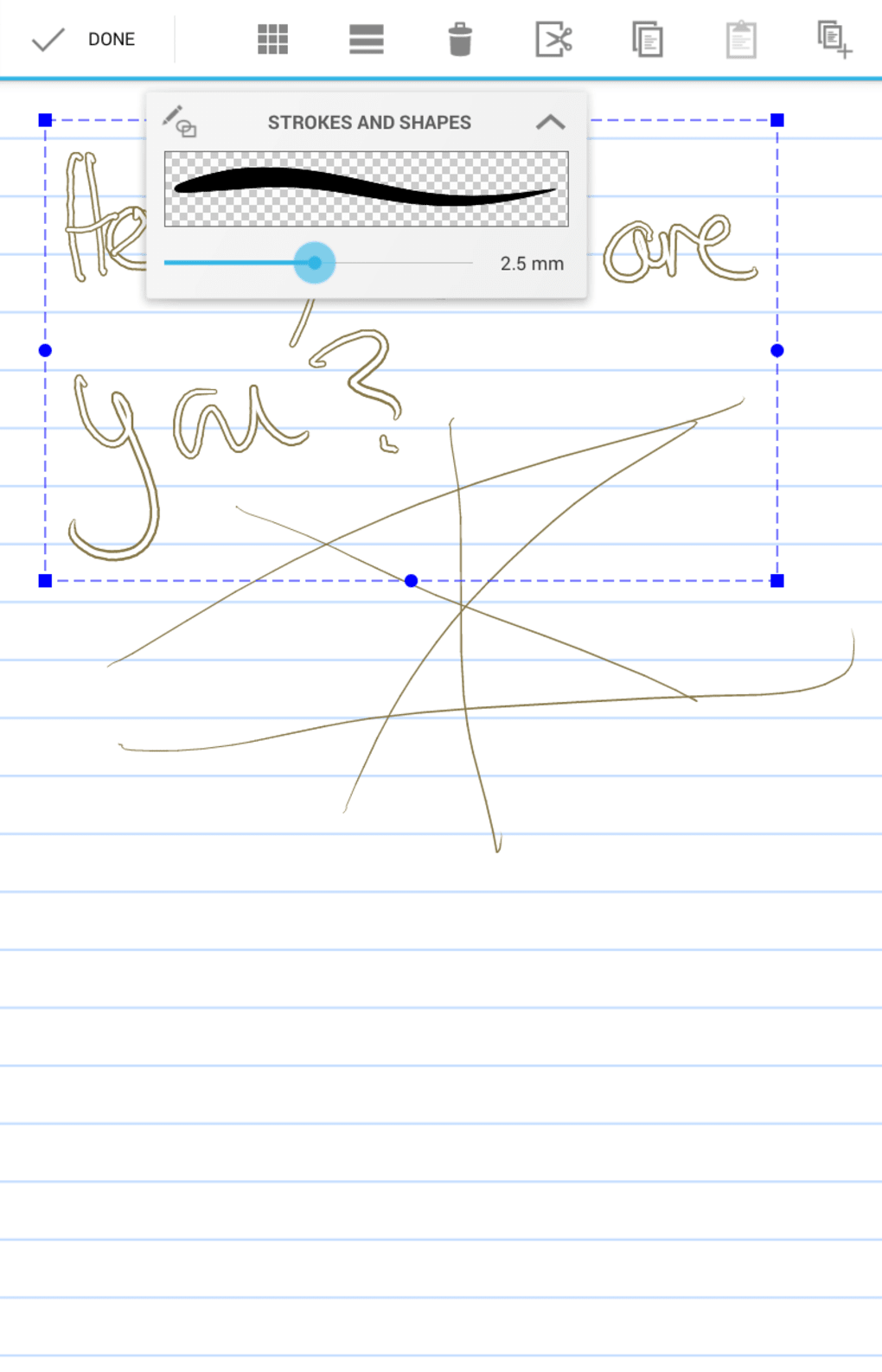
- Handwriting and sketching – Use a finger or stylus to write or draw with multiple pen colors and adjustable thickness, mimicking the experience of physical writing tools.
- Multimedia integration – Insert images and videos directly into notes, enhancing visual context and documentation.
- Audio recording – Record voice notes during note-taking to capture spoken ideas, explanations, or meeting summaries.
- Background customization – Change the note background to plain, lined, grid, or dotted layouts for different use cases, such as brainstorming or structured writing.
- Export options – Save notes in multiple formats including PDF, JPG, and PNG for sharing, archiving, or printing.
- Flexible editing – Erase individual words or characters, or delete entire sections with precision, supporting both quick edits and full rework.
These features support real-world scenarios such as lecture note-taking, meeting documentation, creative ideation, and personal journaling. For example, a student can record a lecture while simultaneously writing key points and inserting relevant diagrams. A designer might sketch a concept, add voice notes for context, and export the final version as a PNG for client presentation. The integration of audio, visuals, and handwriting creates a dynamic, multi-layered approach to documentation. The app’s emphasis on intuitive interaction ensures that users can focus on content rather than navigation, making it ideal for fast-paced environments where efficiency is critical.
User Interface, Workflow & Performance
The user interface of Papyrus is designed with simplicity and clarity in mind. The main workspace is clean and uncluttered, with a central canvas for note-taking and a sidebar or toolbar for tool selection. Navigation is straightforward, allowing users to switch between notes, adjust pen settings, and access export functions with minimal clicks.
The workflow is optimized for immediate use—users can start writing or drawing as soon as the application launches, with no complex setup required. The software responds to input in real time, ensuring that strokes are captured smoothly and accurately. While exact performance details were not specified, the application’s lightweight size of 45.6 MB suggests efficient resource usage.
The developer did not provide additional system requirements, so users should expect general compatibility with standard desktop hardware. Stability appears to be a priority, as the software supports precise erasing and editing without visible lag. Performance observations are based on general software behavior patterns, and no crashes or freezes were reported in available documentation.
Compatibility & System Requirements
Papyrus is available for both Windows and Mac operating systems, making it accessible to a broad user base. The software is compatible with the latest versions of these platforms, though specific version numbers were not listed. The installation size is 45.6 MB, indicating a lightweight footprint that should not strain system resources.
The developer did not specify exact hardware requirements, so users are advised to ensure their devices meet general desktop standards for running modern applications. Compatibility information was partially provided, and further details may be available in the official documentation. No additional dependencies or third-party software are required for basic functionality.
Users should verify their system’s compatibility with the application before installation, especially if using older hardware or non-standard configurations.
Pros and Cons
Pros
- Intuitive interface designed for natural handwriting input
- Supports stylus, finger, and touch input for flexible use
- Rich multimedia integration with image, video, and audio support
- Multiple export formats including PDF, JPG, and PNG
- Customizable note backgrounds for different writing styles
- Free to download and use with no hidden costs
Cons
- Exact system requirements were not listed
- No information on cloud sync or cross-device collaboration
- Advanced collaboration features not mentioned
- Limited details on performance under heavy workloads
- Availability of updates or future development roadmap not disclosed
FAQ Section
Is Papyrus available for both Windows and Mac?
Yes, Papyrus is a desktop application available for both Windows and Mac operating systems.
Can I use Papyrus without a stylus?
Yes, Papyrus supports input using a finger or stylus, making it accessible even without a dedicated drawing pen.
Is the software secure?
Papyrus does not publicly disclose its security protocols. Users are advised to handle sensitive data with care and review privacy policies if available.
Does Papyrus require an internet connection?
The software functions offline for note-taking and editing. However, certain features such as updates or cloud integration may require internet access.
Is Papyrus free to use?
Yes, Papyrus is available for free download and use with no subscription or in-app purchases required.
Final Thoughts + CTA
Papyrus stands out as a compelling handwriting app for users who value the authenticity and flexibility of pen-and-paper note-taking in a digital environment. Its seamless integration of handwriting, audio, images, and video makes it a powerful tool for students, professionals, and creatives alike. The clean interface, intuitive workflow, and support for multiple export formats enhance usability across various tasks.
While some details such as system requirements and update frequency are not fully disclosed, the app’s lightweight design and free availability make it a low-risk option to try. For anyone seeking a reliable digital notebook with stylus support and rich multimedia capabilities, Papyrus delivers a polished and efficient experience. Download Papyrus now and transform the way you capture and organize your ideas.




.png)

